SDS - Sovereignty-Decision-Support-System
Powered by

| Project Links |
|---|
| Software GitHub Repository --> Spyderisk software https://github.com/Spyderisk |
| Progress GitHub Project https://github.com/orgs/ds2-eu/projects/47 |
General Description
This module supports the identification of risks in data management through a comprehensive analysis of the user system. It has a front-end for the user to interact with and a back end with a rich knowledge base where the risks are calculated. It is based on ISO 27005 methodology, and it includes concepts associated with data sovereignty. In an ideal scenario the analysis should be performed including the data provider and data consumer together, but this is possible only in limited context because it requires the sharing of sensitive information. The tool therefore includes Sovereignty Decision Support (SDS) client functionality where reports about risks created locally by each party can be compared to support an informed decision about data sharing.
Architecture
The figure below represents the module fit into the DS-DS environment.

The figure below represents the sequence diagram of the risk assessment.

Component Definition
This module has the following subcomponent and other functions (most of them appear two times in a symmetric fashion in the figure but are discussed only once): DSS Core: * GUI (System Model Creation): This is the graphical interface (front-end) where a user can describe its system in a canvas, provide all the necessary information (a.k.a. system modelling) and perform a risk assessment. For the tier 1 standard connections (Portal etc) it can be perceived as the entry point. This is currently UOS background and will involve minimum development except for a DS2 compliant UI splash page and Dash button integration. * Security Layer: This module oversees managing user authentication and authorization. It is based on Keycloak and will interface with the Identity provider to enable Single Sign On functionalities. The roles of the user will be managed locally. This is currently UOS background and will see little development in DS2, mainly devoted to integrating the security layer with the other identity services in DS2. * Risk Assessment Engine: This back-end module performs the risk assessment based on the provided system model and exploiting the DS2 risk Knowledge Base. This engine is currently UOS background and will see little development, mainly related to support new concepts defined in the Knowledge Base. This module is also available via a REST API. * DS2 Risk Knowledge Base: This is the knowledge base (KB) underpinning the risk assessment. In the knowledge initialization phase, it will be improved with risks associated to the data sharing and sovereignty aspects. It will also be used by the DARC module for providing the support to configuration feature. * System Model Repository: This is the repository hosting the saved system models and the local users. This is currently UOS background and no foreseen development in DS2. * Reporting Module: One of the outcomes of DS2 will be the definition of the set of information to be shared with the counterpart to establish mutual trust. The reporting module extracts such info from the risk assessment and provide them to the end-users, so he can share them. Development will include automatic content extraction, formatting, and adherence to established formats (e.g. cyber-essentials). A reporting module already exists in Spyderisk, but it will be improved and enhanced during DS2.
SDS Analysis * Report Analysis: The end-user will access a User Interface where he will upload the report received by the counterpart and the information extracted by their own system. The component will provide an analysis and a comparison of the 2 reports. This component will be developed from scratch in DS2.
SDS API * The module provides three sets of externally available APIs: * The “Remote Interface for risk assessment” allows the execution of risk assessment calculation via remote interaction, without the use of the GUI. It is provided by the system, but currently not foreseen to be used at the by other components. * The “Remote User Interface to analyse risk report” allows the execution of the remote execution of the risk report analysis. It is provided by the system, but not foreseen to be used by other components. * The “Interface to the KB” provides remote access to the KB and will be used by the DARC module to query the KB.
External Components * DARC. This is the automatic discovery and confirmation module. * Identity Provider. This is the Identity provider used by the DSS internal security layer to get user identities. * Tier1. Service Stack for Marketplace and deployment and API: The full stack will be implemented as generically described elsewhere in this document. Exceptions: The Platform will only be needed for inter-participant service orchestrations if used * System User. This represents a system user that might want to perform risk assessment via a remote interface, rather than via GUI.
Screenshots

The screenshots show the main SDS client views and report outputs:
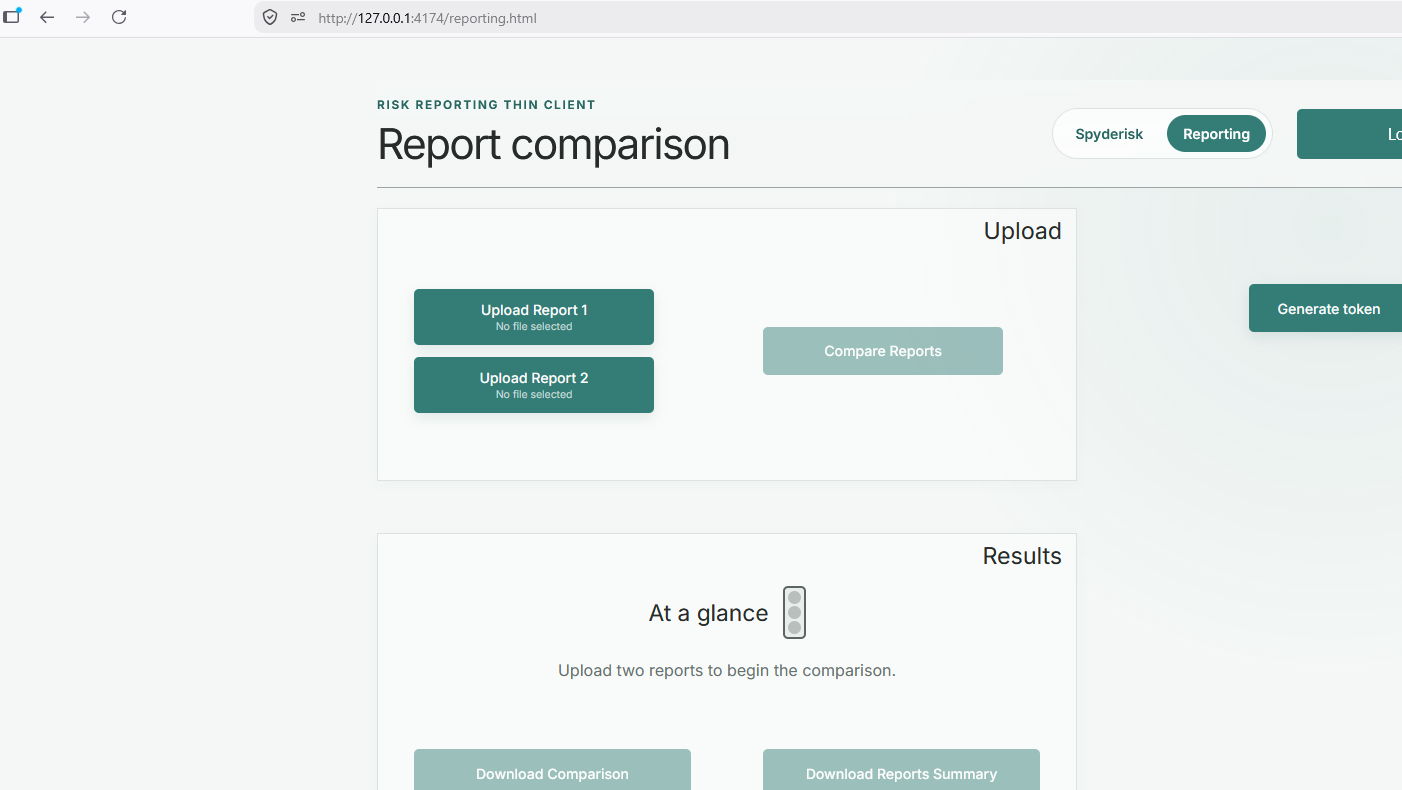 * The SDS reporting page, where users can upload two generated reports and start the comparison workflow.
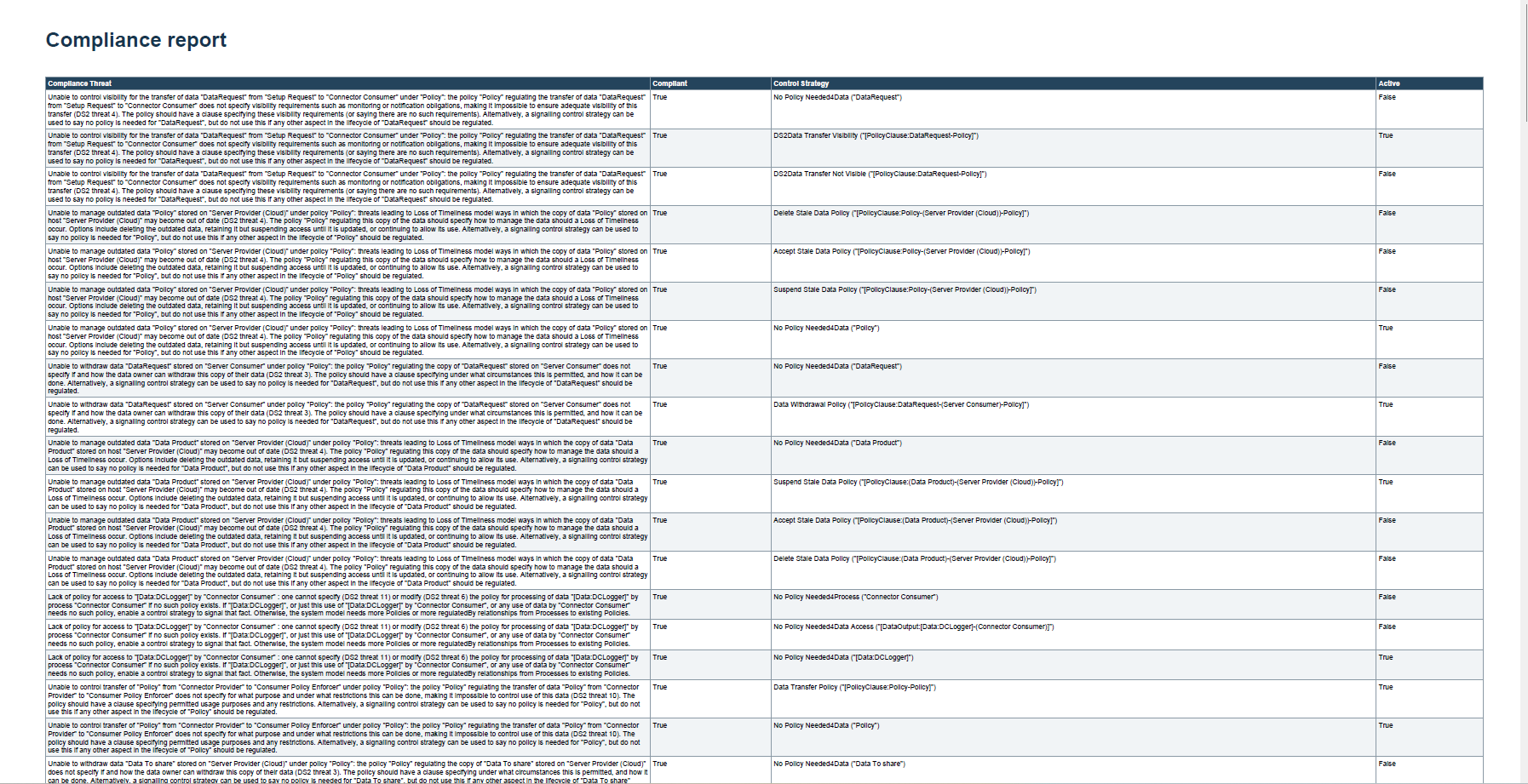 * An example compliance report produced from a Spyderisk risk assessment, showing the type of evidence that can be shared between data-sharing parties.
*
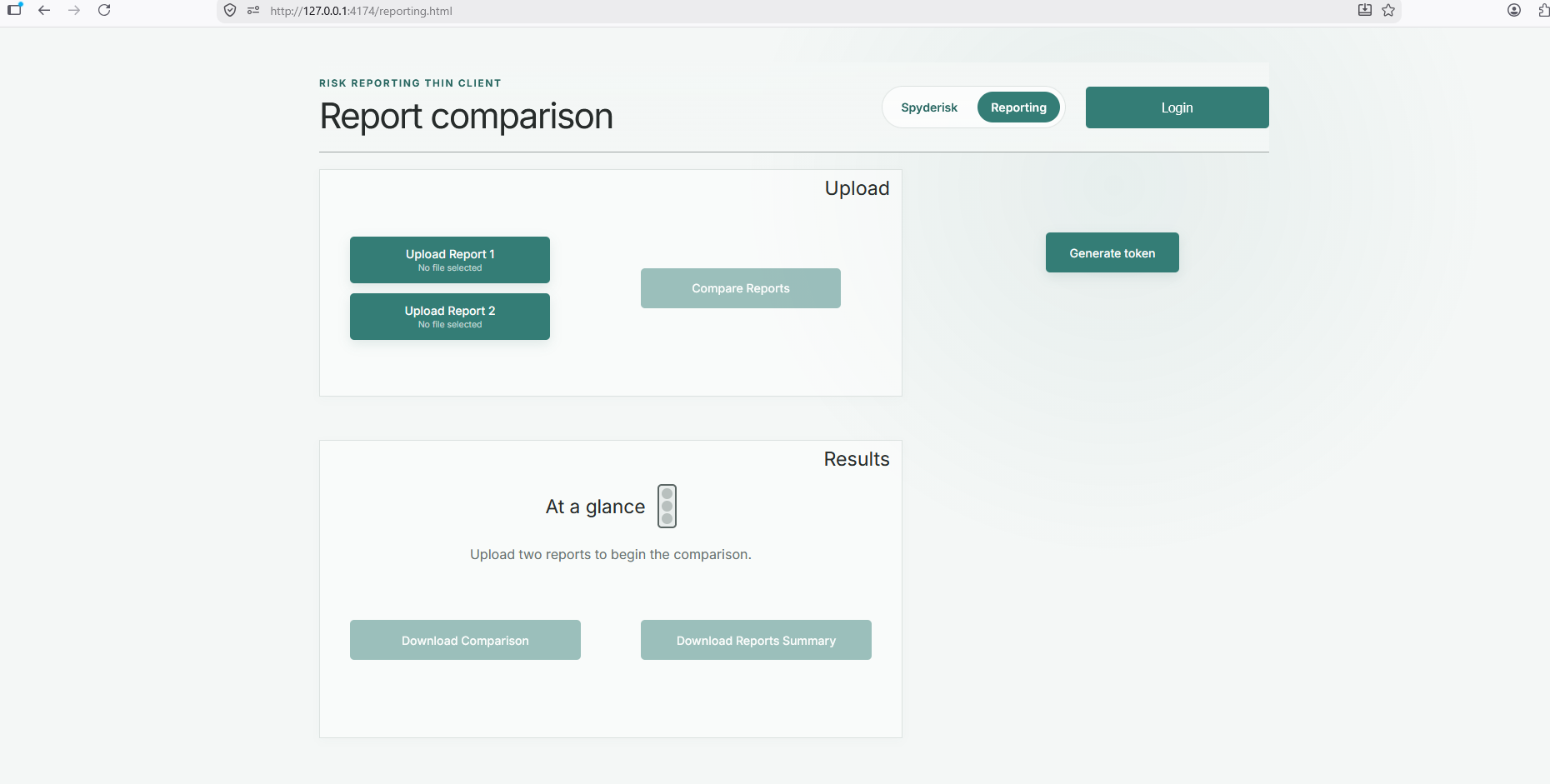 * An example comparison output, summarising the differences between two reports and presenting the result as a decision-support view.
Commercial Information
Table with the organisation, license nature (Open Source, Commercial ... ) and the license. Replace with the values of your module.
| Organisation (s) | License Nature | License |
|---|---|---|
| UoS | Open Source | Apache 2.0 |
Top Features
- Risk Assessment
- Available through the configured Spyderisk DS2 instance.
- Exposed through the SDS client with DS2 Dash Button integration.
- Risk report comparison
- Available through the SDS reporting page.
- Compares two generated risk/compliance reports and provides a traffic-light decision-support summary.
- Supports downloading the comparison output as a PDF report.
- DS2 deployment integration
- Packaged as an on-premise DS2 module using a Docker image and Helm chart for deployment through IDT Containerisation.
- Supports deployment-time configuration of the Spyderisk service URL and DS2 Portal/Dash Button settings.
How To Install
Below are the main information. For developer and deployer configuration details, including environment variables, Dash Button setup, Spyderisk access requirements, Marketplace packaging, and operational checks, see SDS Developer and Deployer Instructions.
Sovereignty Decision Support (SDS) is delivered as a lightweight DS2 client module. The SDS client is packaged as a Docker image and Helm chart for on-premise deployment through the DS2 Marketplace and IDT Containerisation workflow.
The Spyderisk risk assessment service is treated as an external service and is configured at deployment time. The current DS2 Spyderisk service endpoint is: https://ds2.it-innovation.soton.ac.uk/system-modeller/
Requirements
- Access to the DS2 Portal and Marketplace.
- A local IDT environment with the DS2 Containerisation module.
- Access to the SDS Marketplace asset.
- Network access from the deployed SDS client to the configured Spyderisk service.
- DS2 Dash Button access configured for the deployed SDS URL.
- For embedded Spyderisk access, the Spyderisk proxy must allow the SDS origin to frame the service.
Software
- SDS client Docker image:
sds:0.1.0 - SDS Helm chart:
sds, version0.1.1 - Spyderisk service: configured externally at deployment time
Summary of installation steps
- Acquire the SDS asset from the DS2 Marketplace.
- Deploy the SDS on-premise asset through the local IDT Containerisation workflow.
- Configure the deployment values for:
SPYDERISK_URLSPYDERISK_SSO_LOGIN_URLSSO_MODEPORTAL_API_URL- Register the deployed SDS URL in the DS2 Portal so the Dash Button application-access check can authorise users.
- Coordinate the Spyderisk service/proxy configuration so the deployed SDS origin is allowed to embed Spyderisk.
Detailed steps
The SDS client is published as an on-premise DS2 Marketplace asset. The Marketplace package contains the Helm chart and Docker image archive used by the IDT Containerisation workflow.
The current default Spyderisk endpoint is:
https://ds2.it-innovation.soton.ac.uk/system-modeller/
In operational deployment, the Dash Button should use DS2 Portal mode and the deployed SDS URL must be registered in the DS2 Portal organisation/application configuration. Local testing can use a temporary local URL, but production deployments should use the final stable SDS URL.
Spyderisk itself remains externally hosted and separately operated. If it is shown inside the SDS iframe, its UoS proxy configuration must permit framing from the approved SDS origin.
How To Use
- Spyderisk online documentation: https://docs.spyderisk.org/system-modeller/latest/
- Open the SDS client from the deployed DS2/IDT URL.
- Use the Dash Button to authenticate through DS2.
- Use the Spyderisk page to access the configured Spyderisk service.
- Use the reporting page to upload and compare two generated risk/compliance reports.
Other Information
The SDS module is composed of a local SDS client and an externally configured Spyderisk risk assessment service. The SDS client includes the DS2 Dash Button, a Spyderisk access page, and a report comparison page. Report comparison uses information extracted from generated reports and does not require the end user to run scripts manually.
OpenAPI Specification
n/a
Additional Links
n/a